
JGit
JGit是eclipse开发的用于拉取代码的一个jar包,可以使用代码实现git的拉取等操作 JGit 命令参考
引入依赖
<dependency> <groupId>org.eclipse.jgit</groupId> <artifactId>org.eclipse.jgit</artifactId> <version>5.13.0.202109080827-r</version></dependency>基础配置
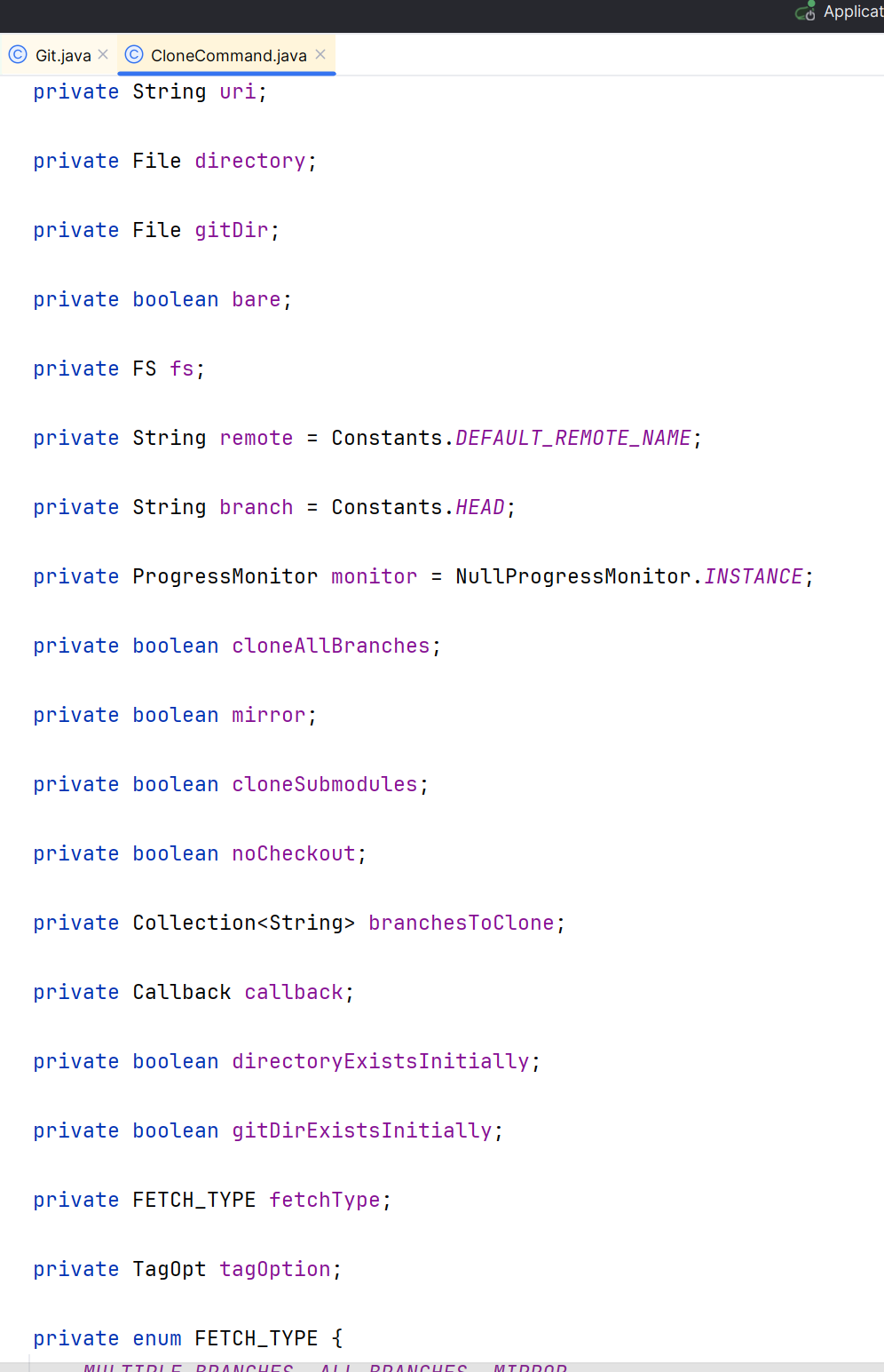
常用配置如下:
1. uri
-
远程 Git 仓库的地址。
-
Git 命令行对应
Terminal window git clone https://github.com/example/project.git
2. directory
-
说明:本地目录路径,表示将远程仓库克隆到哪个本地文件夹。
directory = new File("/home/user/myproject"); -
Git 命令行对应
Terminal window git clone https://github.com/example/project.git /home/user/myproject
3. gitDir
-
说明:指定
.git目录的位置(可选)。如果不设置,默认放在directory/.git中。Terminal window gitDir = new File("/home/user/custom_git_dir");
4. bare
-
说明:是否创建一个“空仓库”(bare repository),即没有工作区,只包含 Git 数据。
-
适用场景:通常用作服务器端仓库。
-
Git 命令行对应
Terminal window git clone --bare https://github.com/example/project.git
5. fs
- 说明:文件系统对象,用于处理平台相关的文件操作(如符号链接、权限等)。
- 默认值:使用 JVM 默认的文件系统。
- 用途:跨平台兼容性支持。
6. remote
-
说明:远程仓库名称,默认是
origin。 -
Git 命令行对应
Terminal window git clone -o upstream https://github.com/example/project.git
7. branch
-
说明:指定要克隆的分支名,默认是
HEAD(通常是主分支,比如main或master)。Terminal window git clone -b dev https://github.com/example/project.git
8. monitor
- 说明:进度监控器,用于显示克隆过程中的进度信息(如下载了多少对象)。
- 默认值:
NullProgressMonitor.INSTANCE(不显示任何进度)
9. cloneAllBranches
- 说明:是否克隆所有远程分支。
- 注意:如果设置为
true,则会拉取所有分支和标签。
10. mirror
-
说明:是否进行镜像克隆,包括所有引用(ref)和配置。
-
Git 命令行对应
Terminal window git clone --mirror https://github.com/example/project.git
11. cloneSubmodules
-
说明:是否同时克隆子模块(submodules)。
Terminal window git clone --recurse-submodules https://github.com/example/project.git
12. noCheckout
-
说明:是否跳过检出(checkout)步骤,即不创建工作区文件。
-
Git 命令行对应
Terminal window git clone --no-checkout https://github.com/example/project.git
13. branchesToClone
-
说明:指定要克隆的多个分支(不是所有分支)。
Terminal window branchesToClone = Arrays.asList("main", "featureA", "release/v1");
14. callback
- 说明:回调函数,用于监听或处理克隆过程中的事件(例如认证请求、进度更新等)。
15. directoryExistsInitially
- 说明:标记目标目录是否在开始前已经存在(主要用于内部逻辑判断)。
16. gitDirExistsInitially
- 说明:
.git文件夹是否已存在(主要用于内部状态管理)。
17. fetchType
-
说明
:定义克隆时的 fetch 行为类型,是一个枚举值:
MULTIPLE_BRANCHES: 克隆指定的多个分支;ALL_BRANCHES: 克隆所有远程分支;MIRROR: 镜像克隆,包含所有引用。
18. tagOption
- 说明:控制如何处理标签(tags)的获取方式。
- 常见选项
TagOpt.AUTO_FOLLOW: 自动跟随标签(默认行为);TagOpt.FETCH_TAGS: 显式拉取所有标签。
核心配置
| 参数名 | 含义 | Git 命令行 |
|---|---|---|
uri | 远程仓库地址 | git clone <uri> |
directory | 本地目标路径 | git clone <uri> <dir> |
bare | 是否裸仓库 | --bare |
remote | 设置远程名 | -o <name> |
branch | 指定分支 | -b <branch> |
cloneAllBranches | 克隆所有分支 | --all |
mirror | 镜像克隆 | --mirror |
cloneSubmodules | 克隆子模块 | --recurse-submodules |
noCheckout | 不检出文件 | --no-checkout |
代码实战
这里以Github指定项目为例,我们可以使用JGit将远程代码克隆到本地,也可以通过JGit推送代码到指定远程仓库。 无论是操作Github、Gitee、Gitlab哪个,我们都需要对应的API token
获取Github Token
进入Github的设置Settings/Developer Settings新建一个token,注意保存
获取Gitee Token
进入个人设置界面的私人令牌
克隆仓库到本地
  @Test    public void gitCloneRepo() throws GitAPIException, IOException {        // 1. 基础配置        // Github的token        String githubToken = "xxxx";        String giteeToken = "xxxx";        // 克隆到本地的地址        String fileDirPath = "./cloned-test-git";        // 仓库名称        String repoName = "xxxx";        // 仓库地址        String repoUrl = "xxx.git";        // 2. 克隆仓库        Git git = Git.cloneRepository()                .setURI(repoUrl)                .setDirectory(new File(fileDirPath))                .setCredentialsProvider(new UsernamePasswordCredentialsProvider(giteeToken, ""))                .setTimeout(300000)                .call();
    // 遍历树形结构文件列表        Files.walkFileTree(Paths.get(fileDirPath), new SimpleFileVisitor<>() {            @Override            public FileVisitResult visitFile(Path file, BasicFileAttributes attrs) throws IOException {                log.info("项目{}对应文件如下{}", repoName, file.getFileName());                return FileVisitResult.CONTINUE;            }
            @Override            public FileVisitResult visitFileFailed(Path file, IOException exc) throws IOException {                log.info("{}对应文件处理失败{}", repoName, file.getFileName());                return super.visitFileFailed(file, exc);            }        });    }
提交代码到仓库
这个仓库需要保证是public公开的,除此需要关闭如下配置

    // 1. git配置  Git git = Git.cloneRepository()        .setURI(repoUrl)        .setDirectory(new File(fileDirPath))        .setCredentialsProvider(new UsernamePasswordCredentialsProvider("xxx", "xxx"))        .setTimeout(300000)        .call();    // 2. 创建文件    String fileName = System.currentTimeMillis() + ".md";    File file = new File(fileDirPath, fileName);
    // 3. 写入日志    try (FileWriter writer = new FileWriter(file)) {        writer.write("测试");    }
    // 4. 提交、推送文件到仓库    // git add xxx.md    git.add().addFilepattern(fileName).call();    // git commit -m "add xxx.md"    git.commit().setMessage("Add " + fileName).call();    // git push -u origin master    git.push()          .setCredentialsProvider(new UsernamePasswordCredentialsProvider("xxx", "xxx"))          .add("refs/heads/master")          .setRemote("origin").call();    System.out.println(repoUrl.replace(".git", "") + "/blob/master/" + fileName);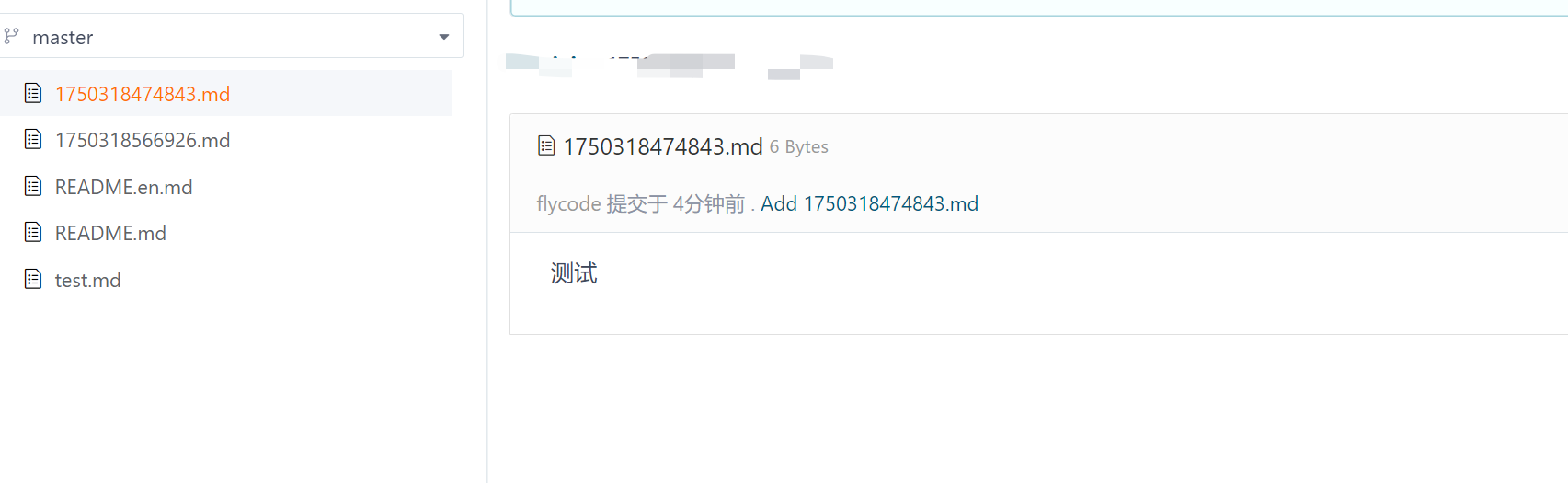
这个推送代码还可以继续优化,比如可以获取所有的分支、给指定分支推送
评论