实现小程序发送订阅消息给指定用户
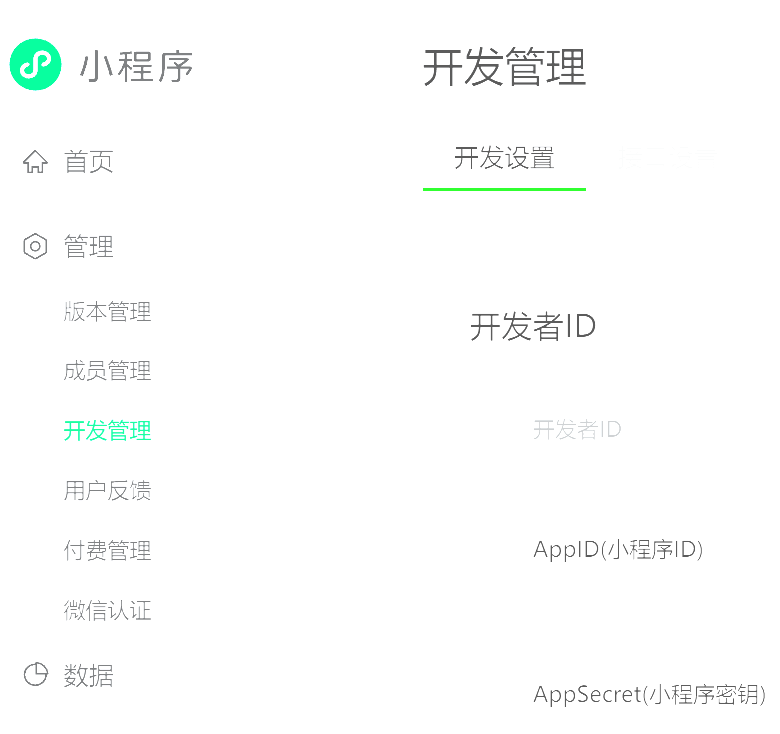
1. 配置好小程序,获取指定appid和appsecret
2. 配置用户隐私保护
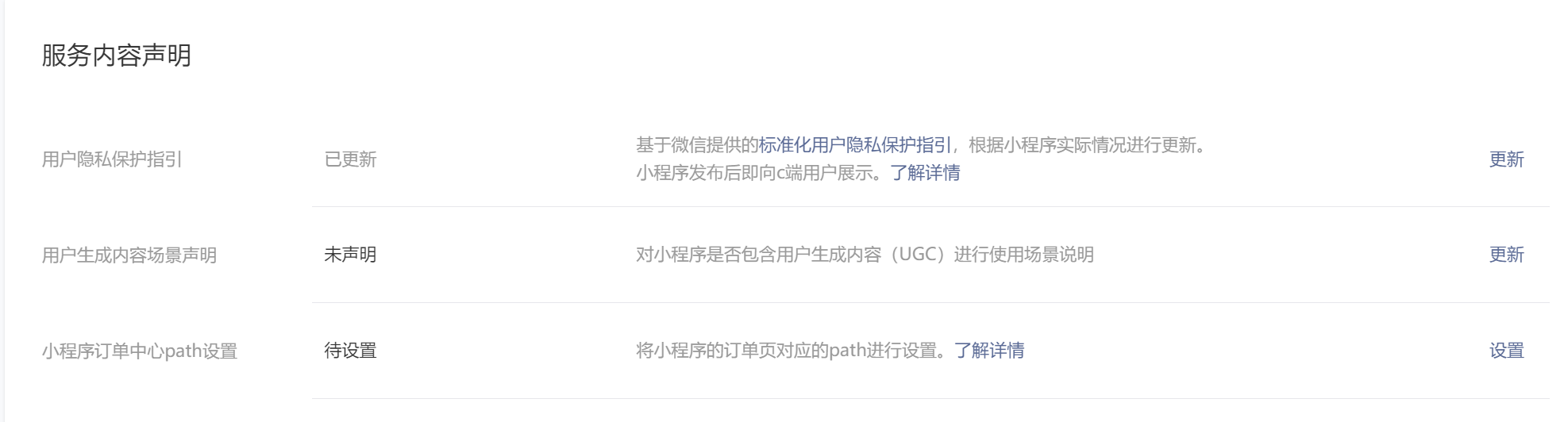
进入账号界面,配置隐私保护,否则可能出现无法发送订阅消息问题。
3. 配置订阅消息模板
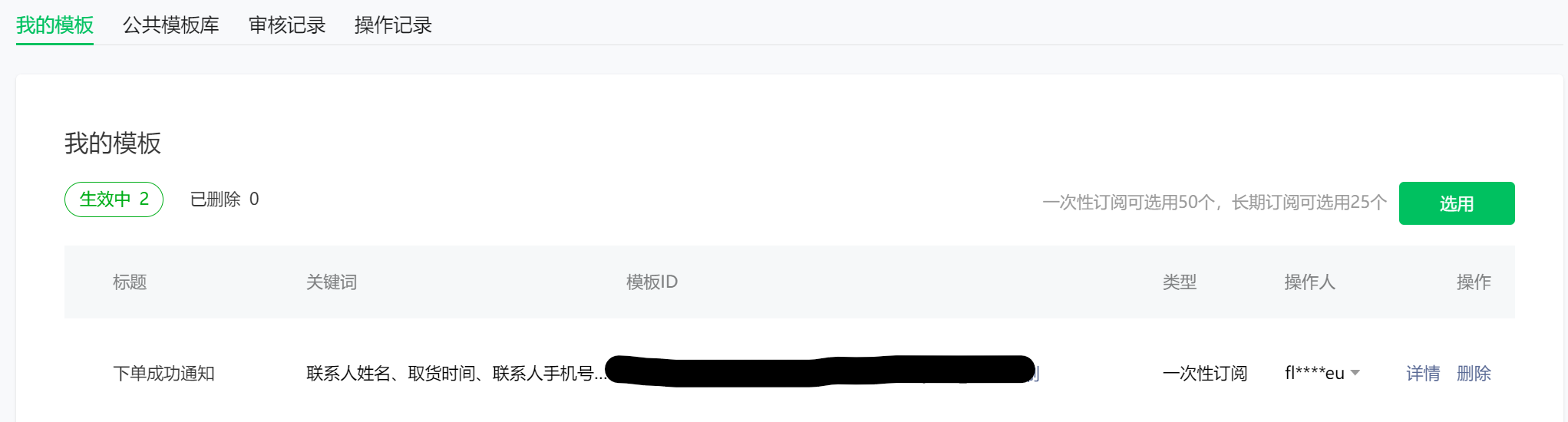
进入基础功能-订阅消息
个人账户只能使用一次性订阅,也就是用户每次都需要点击授权
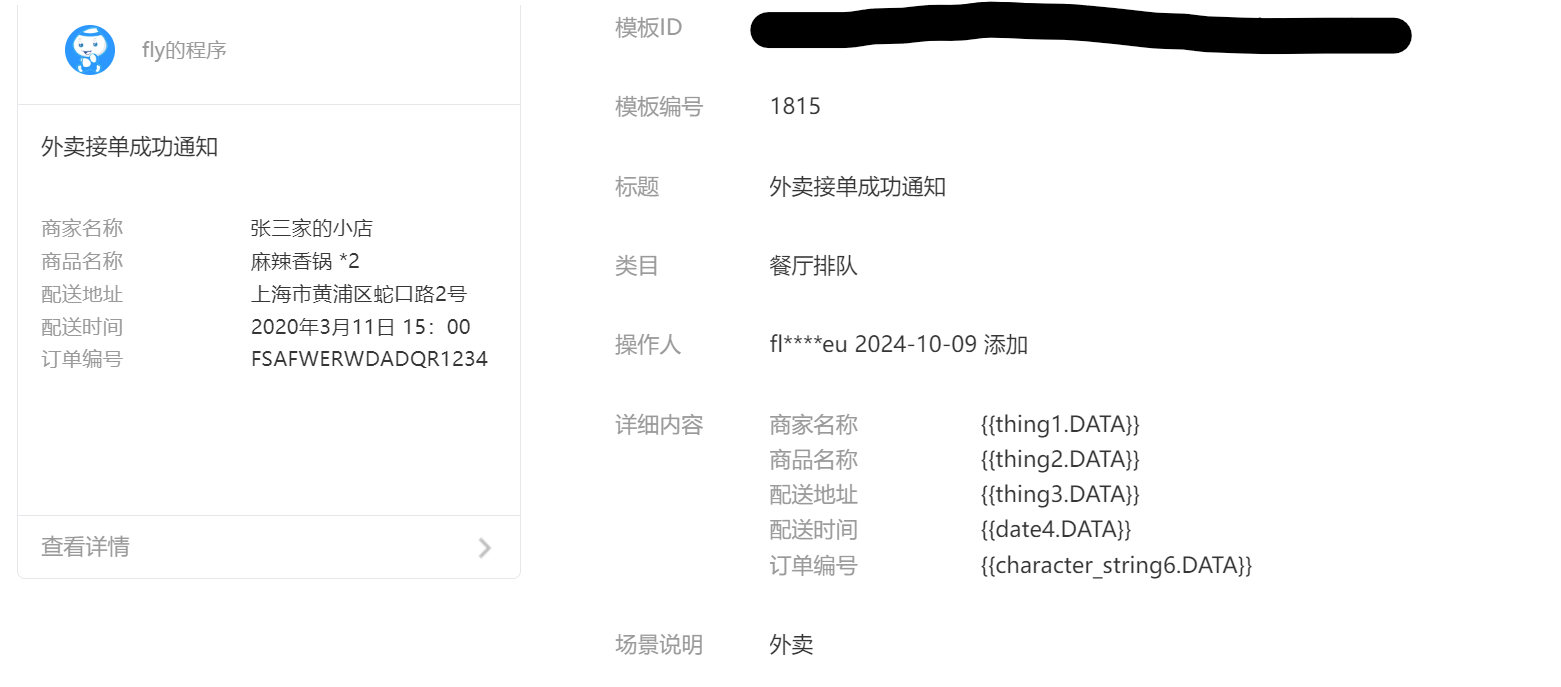
其中每一个字段都有相应的格式,如何格式不对,发送消息会失败,报错data format error rid: 670c8333-386618ab-24cc7dbf
对应长度限制类目模板消息
4. 小程序界面授权
因为是一次性订阅,所以需要用户主动授权,才能发送成功。
核心代码
wx.requestSubscribeMessage(Object object)
调起客户端小程序订阅消息界面,返回用户订阅消息的操作结果。当用户勾选了订阅面板中的“总是保持以上选择,不再询问”时,模板消息会被添加到用户的小程序设置页,通过 wx.getSetting 接口可获取用户对相关模板消息的订阅状态。
<template> <view> <button @click="sub">订阅</button> </view></template><script> sub() { //模板id const tempIds = ["xxx"] wx.requestSubscribeMessage({ tmplIds: tempIds, success(res){ console.log(res) }, false(res){ console.log(res) } }) }</script>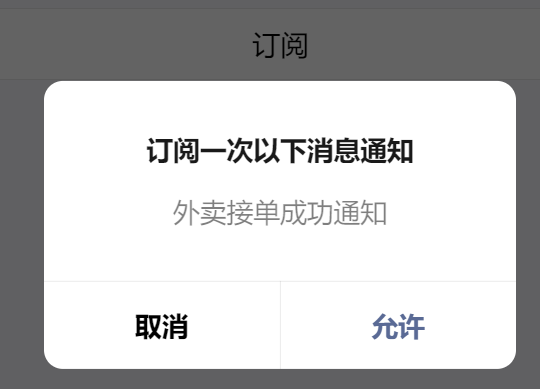
还需要获取用户的openid
5. 获取用户openid
用户登录,首先需要调用wx的login方法,获取对应的code,然后将这个code传递给后端,后端根据用户的这个code解析出对应的openid
<button @click="login">登录</button>login() { uni.login({ provider: 'weixin', success(res) { console.log(res) if (res.errMsg === "login:ok") { let jsCode = res.code console.log(res.code) const params = { code: jsCode } // 发送请求 uni.request({ url: "xxxx", data: params, method:'POST', success(res) { console.log(res) } })
} else { console.log("登录失败,请联系管理员") } }, }) }
后端根据code解析
//微信服务接口地址 public static final String WX_LOGIN = "https://api.weixin.qq.com/sns/jscode2session"; private String getOpenid(String code) { //调用微信接口服务,获得当前微信用户的openid Map<String, Object> map = new HashMap<>(); map.put("appid", ""); map.put("secret", ""); map.put("js_code", code); map.put("grant_type", "authorization_code"); String json = HttpUtil.get(WX_LOGIN, map); JSONObject jsonObject = JSON.parseObject(json); String openid = jsonObject.getString("openid"); return openid; }后端核心代码
1. 需要引入hutool依赖
        <!--微信推送功能-->        <dependency>            <groupId>com.github.binarywang</groupId>            <artifactId>weixin-java-miniapp</artifactId>            <version>3.8.0</version>        </dependency>

        <dependency>            <groupId>cn.hutool</groupId>            <artifactId>hutool-all</artifactId>            <version>5.8.26</version>        </dependency>
2.获取用户access_token工具类
package com.sky.utils;
import java.io.IOException;import java.util.HashMap;import java.util.Map;
import cn.hutool.http.HttpUtil;import cn.hutool.json.JSONUtil;import com.fasterxml.jackson.databind.ObjectMapper;import org.springframework.web.client.RestTemplate;
/** * 获取token */public class WechatTokenUtil {
    private static final String GET_ACCESS_TOKEN_URL = "https://api.weixin.qq.com/cgi-bin/token?grant_type=client_credential&appid={APPID}&secret={APPSECRET}";
     /**     * 获取token     * @param appId 小程序appid     * @param appSecret  小程序密钥     * @return token     */    public static String getAccessToken(String appId, String appSecret) {        String url = GET_ACCESS_TOKEN_URL.replace("{APPID}", appId).replace("{APPSECRET}", appSecret);        String res = HttpUtil.get(url);        // 包含access_token 和 expires 过期时间        Map<String, String> token = (Map<String, String>) JSONUtil.parse(res);        return token.get("access_token");    }}
3. 判断模板消息是否发送成功
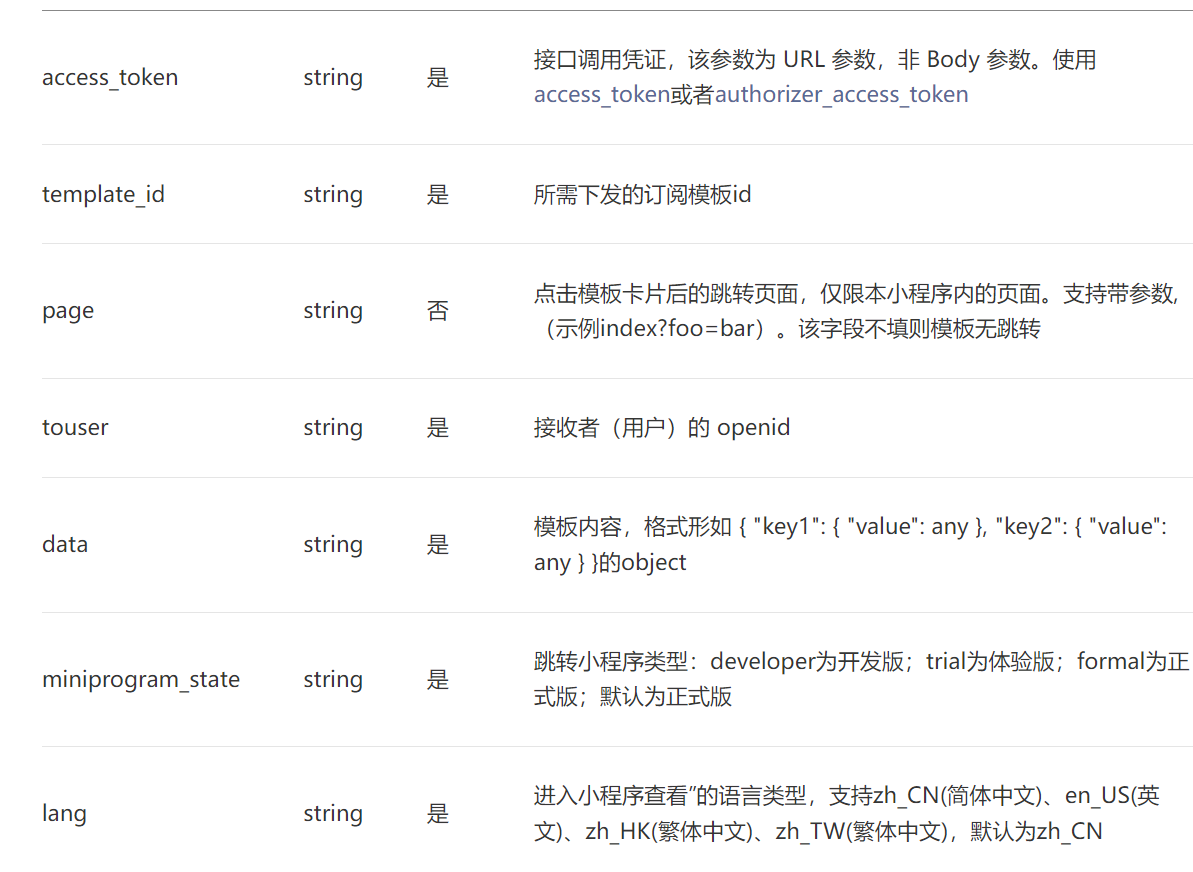
import java.util.HashMap;import java.util.Map;
import cn.hutool.http.HttpUtil;import cn.hutool.json.JSONUtil;import org.springframework.web.client.RestTemplate;/** *  微信模板消息发送工具类 */public class WechatMessageUtil {
     /**     *     * @param accessToken token     * @param toUser      转发用户的appid     * @param templateId  模板id     * @param data        发送模板数据     * @return  状态码 0表示成功     */    private static final String SEND_TEMPLATE_MESSAGE_URL = "https://api.weixin.qq.com/cgi-bin/message/subscribe/send?access_token={ACCESS_TOKEN}";
    public static boolean sendTemplateMessage(String accessToken, String toUser, String templateId, Map<String, Object> data) {        String url = SEND_TEMPLATE_MESSAGE_URL.replace("{ACCESS_TOKEN}", accessToken);        Map<String, Object> message = new HashMap<>();        message.put("touser", toUser);        message.put("template_id", templateId);        message.put("data", data);
        String res = HttpUtil.post(url, JSONUtil.toJsonStr(message));        Map<String, Object> result = (Map<String, Object>) JSONUtil.parse(res);        return result.get("errcode").equals(0);    }}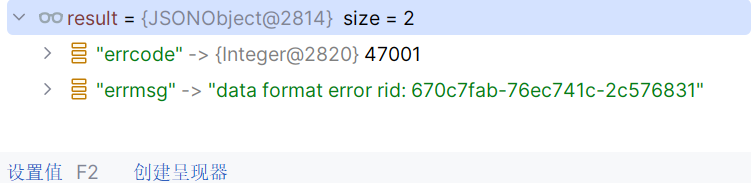
4. 测试
import java.util.HashMap;import java.util.Map;
public class Main {
    private static final String APP_ID = "xx";    private static final String APP_SECRET = "xx";    private static final String TEMPLATE_ID = "xx";    private static final String TO_USER = "xx";
    public static void main(String[] args) {        String accessToken = WechatTokenUtil.getAccessToken(APP_ID, APP_SECRET);        Map<String, Object> data = setTemplateData();        boolean success = WechatMessageUtil.sendTemplateMessage(accessToken, TO_USER, TEMPLATE_ID, data);        if (success) {            System.out.println("消息发送成功!");        } else {            System.out.println("消息发送失败!");        }    }
    /**     * 设置模板数据     * @return     */    private static Map<String, Object> setTemplateData() {        // 创建数据映射        Map<String, Object> data = new HashMap<>();
        // 设置商家名称        Map<String, String> thing1 = new HashMap<>();        thing1.put("value", "测试商家");        data.put("thing1", thing1);
        // 设置商品名称        Map<String, String> thing2 = new HashMap<>();        thing2.put("value", "测试商品");        data.put("thing2", thing2);
        // 设置配送地址        Map<String, String> thing3 = new HashMap<>();        thing3.put("value", "测试地址");        data.put("thing3", thing3);
        // 设置配送时间        Map<String, String> date4 = new HashMap<>();        date4.put("value", "2022-01-01 12:00");        data.put("date4", date4);
        // 设置订单编号        Map<String, String> characterString6 = new HashMap<>();        characterString6.put("value", "202201010001");        data.put("character_string6", characterString6);        return data;    }}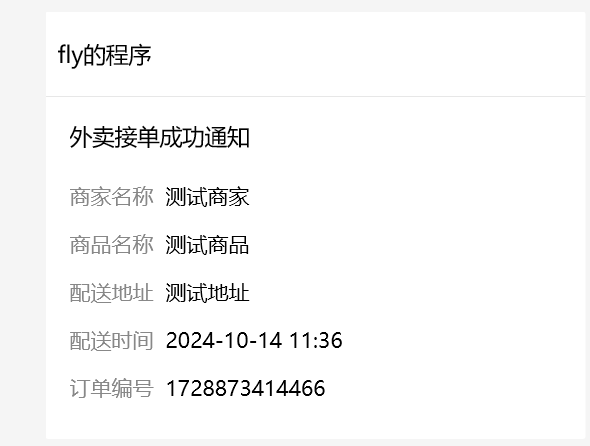
评论