后端使用 Flux<String> 返回模型生成的文本片段:
Flux<String> chatToCodeStream = appService.chatToCode(appId, message, currentLoginUser);流式文本拼接后出现空格丢失,需要沿着原始片段、SSE 编码和前端解析逐层检查。SSE 解析器会移除字段冒号后的一个可选空格,并按规则合并多行 data;它不会任意删除文本中的所有空格。参见 SSE 标准。
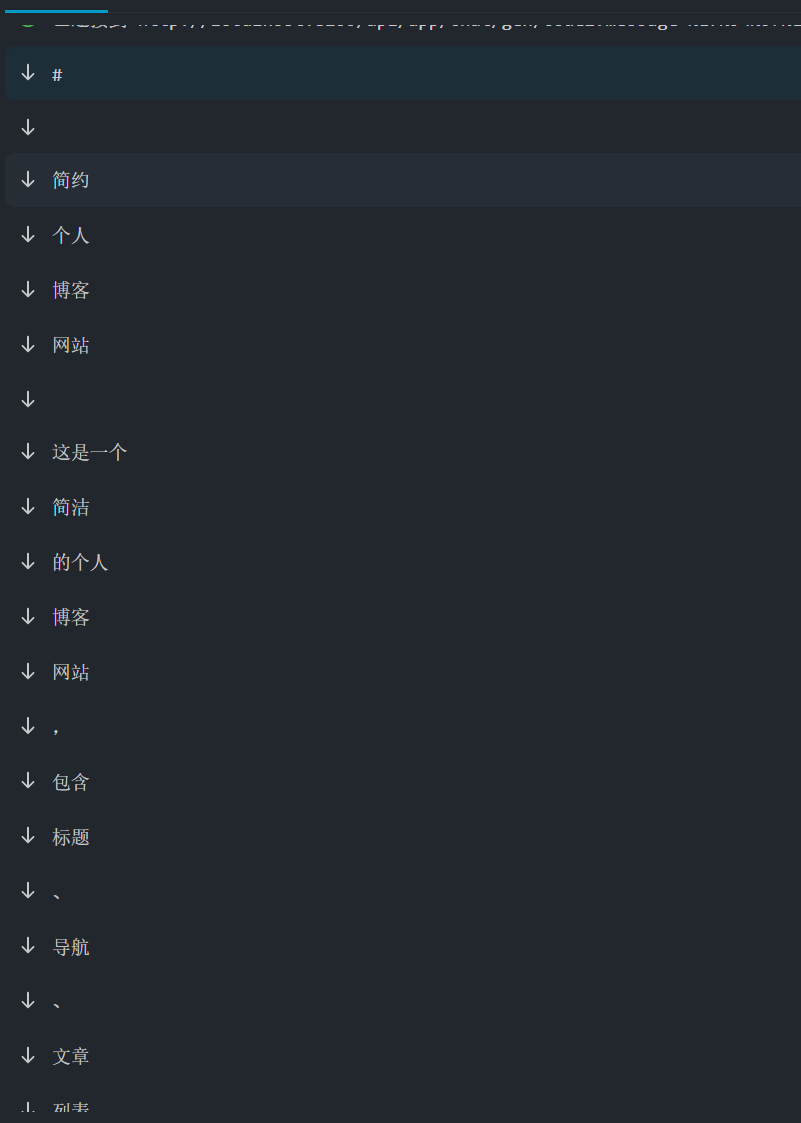
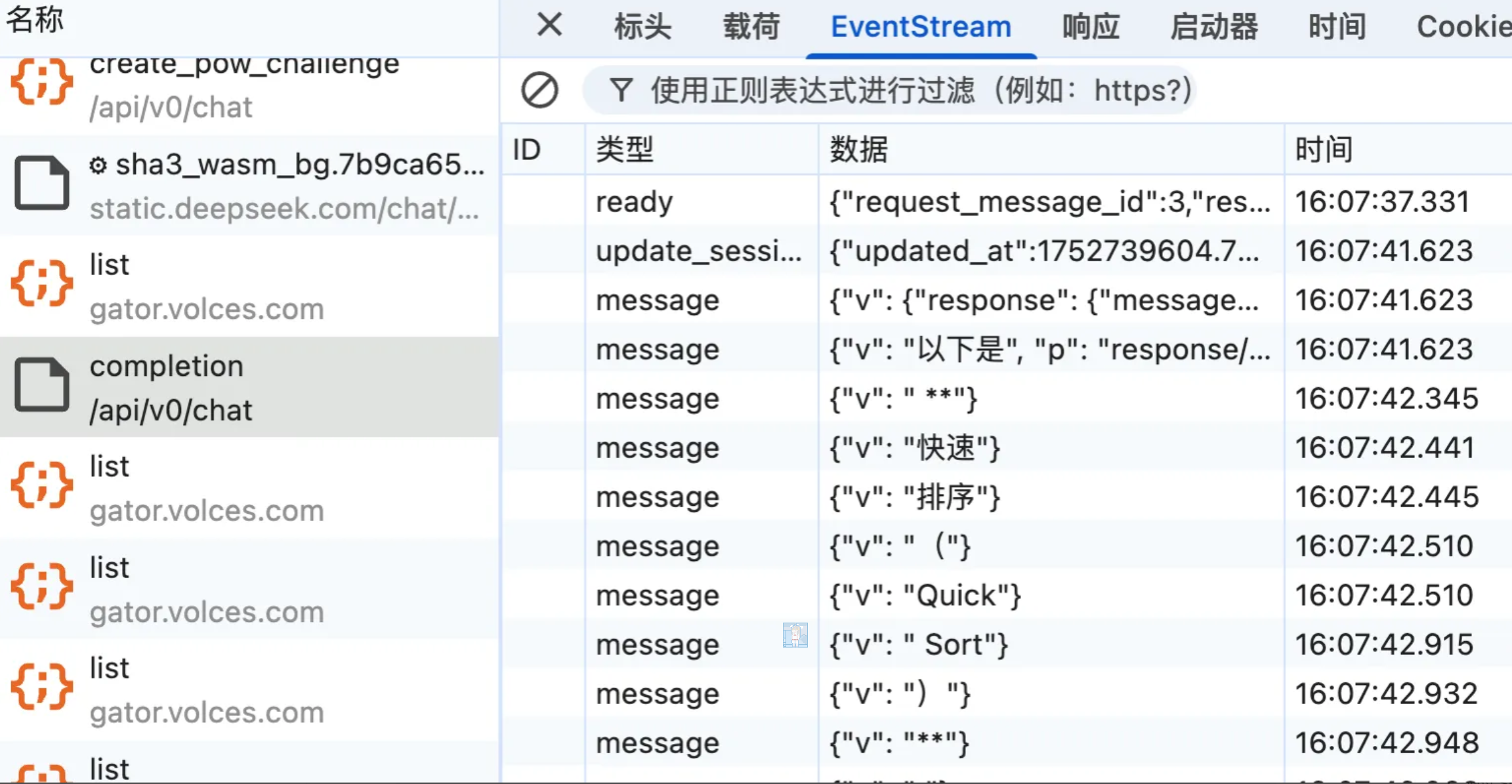
在DeepSeek中,使用的流式字符拼接,再将拼接后的数据前端处理,结束后返回done标识。
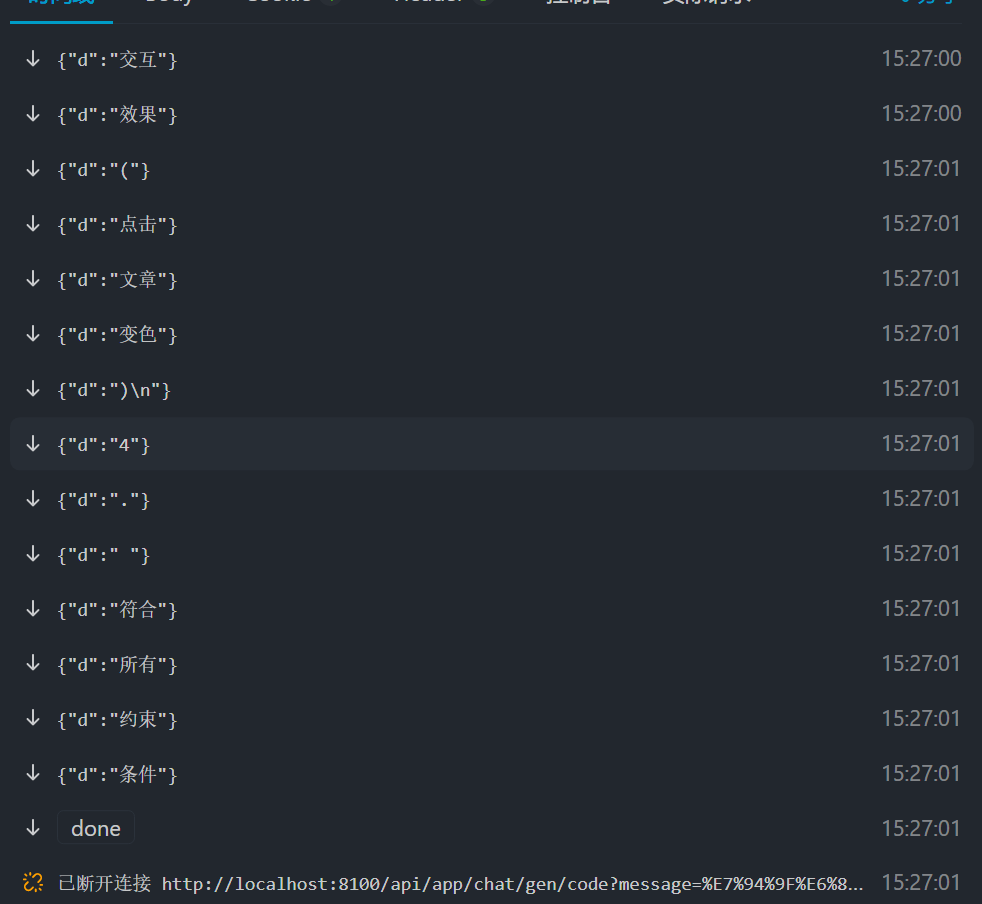
- 使用Map将每个流式数据,拼接
- 添加结束标识
Flux<String> chatToCodeStream = appService.chatToCode(appId, message, currentLoginUser);Flux<ServerSentEvent<String>> serverSentEventFlux = chatToCodeStream .map(chunk -> { Map<String, Object> data = Map.of("d", chunk); String jsonStr = JSONUtil.toJsonStr(data); return ServerSentEvent .<String>builder() .data(jsonStr) .build(); }) .concatWith( Mono.just(ServerSentEvent.<String>builder() .event("done") .data("") .build()));将片段作为 JSON 字符串字段传输,再读取 d 拼接,可以保留字符串内的空格和换行;前后端都不要再对片段调用 trim()。
前端使用这种方式接收
const generateCode = async (userMessage: string, aiMessageIndex: number) => {    if (!appId.value) {        message.error('应用ID不存在')        isGenerating.value = false        return    }
    // 清理之前的连接    if (currentEventSource) {        currentEventSource.close()    }
    try {        // 构建正确的请求 URL - GET方法,参数通过查询字符串传递        const baseUrl = 'http://localhost:8100/api'        const params = new URLSearchParams({            appId: appId.value,            message: userMessage,        })        const url = `${baseUrl}/app/chat/gen/code?${params}`
        const eventSource = new EventSource(url, {            withCredentials: true, // 携带认证信息        })        currentEventSource = eventSource
        let fullContent = ''
        // 处理 SSE 数据流        eventSource.onmessage = (event) => {            try {                const parsed = JSON.parse(event.data)                if (typeof parsed.d === 'string') {                    fullContent += parsed.d                    messages.value[aiMessageIndex].content = fullContent                    messages.value[aiMessageIndex].loading = false                    nextTick().then(() => scrollToBottom())                }            } catch (parseError) {                console.warn('解析SSE数据失败:', parseError)            }        }
        // 监听流结束事件        eventSource.addEventListener('done', () => {            console.log('SSE流结束')            eventSource.close()            currentEventSource = null            updatePreview()            isGenerating.value = false        })
        // 处理连接错误        eventSource.onerror = (error) => {            console.error('SSE连接错误:', error)            eventSource.close()            currentEventSource = null
            if (messages.value[aiMessageIndex]?.loading) {                messages.value[aiMessageIndex].content = '抱歉,生成过程中出现了错误,请重试。'                messages.value[aiMessageIndex].loading = false                message.error('生成失败,请重试')            }
            isGenerating.value = false        }
        eventSource.onopen = () => {            console.log('SSE连接已建立')        }    } catch (error) {        console.error('创建SSE连接失败:', error)        messages.value[aiMessageIndex].content = '抱歉,生成过程中出现了错误,请重试。'        messages.value[aiMessageIndex].loading = false        message.error('生成失败,请重试')        isGenerating.value = false    }}
评论