
微信跳转小程序的两种常用方案
在实际开发中,我们经常会遇到「从网页跳转到微信小程序」的需求。本文介绍两种主流的跳转方式,分别是:
- 基于 云开发静态网站托管 的跳转(需要认证企业主体并付费)
- 基于 URL Scheme 的跳转(适合已发布小程序)
一、基于云服务跳转小程序(推荐方式,需认证)
适用对象:已认证的非个人主体小程序
优势:微信内外均可跳转小程序,无需登录鉴权
劣势:使用云开发静态网站托管功能会产生费用
原理:借助微信云开发的静态托管功能,通过配置 index.html 页面,实现从任意浏览器(包括企业微信、QQ、系统浏览器等)直接跳转至小程序。
👉 参考官方文档:H5 跳转小程序指南
实现步骤:
步骤 1:编写跳转 HTML 页面
将官方模板代码中的 appid、path 等参数替换为你自己的小程序信息。
步骤 2:创建云服务
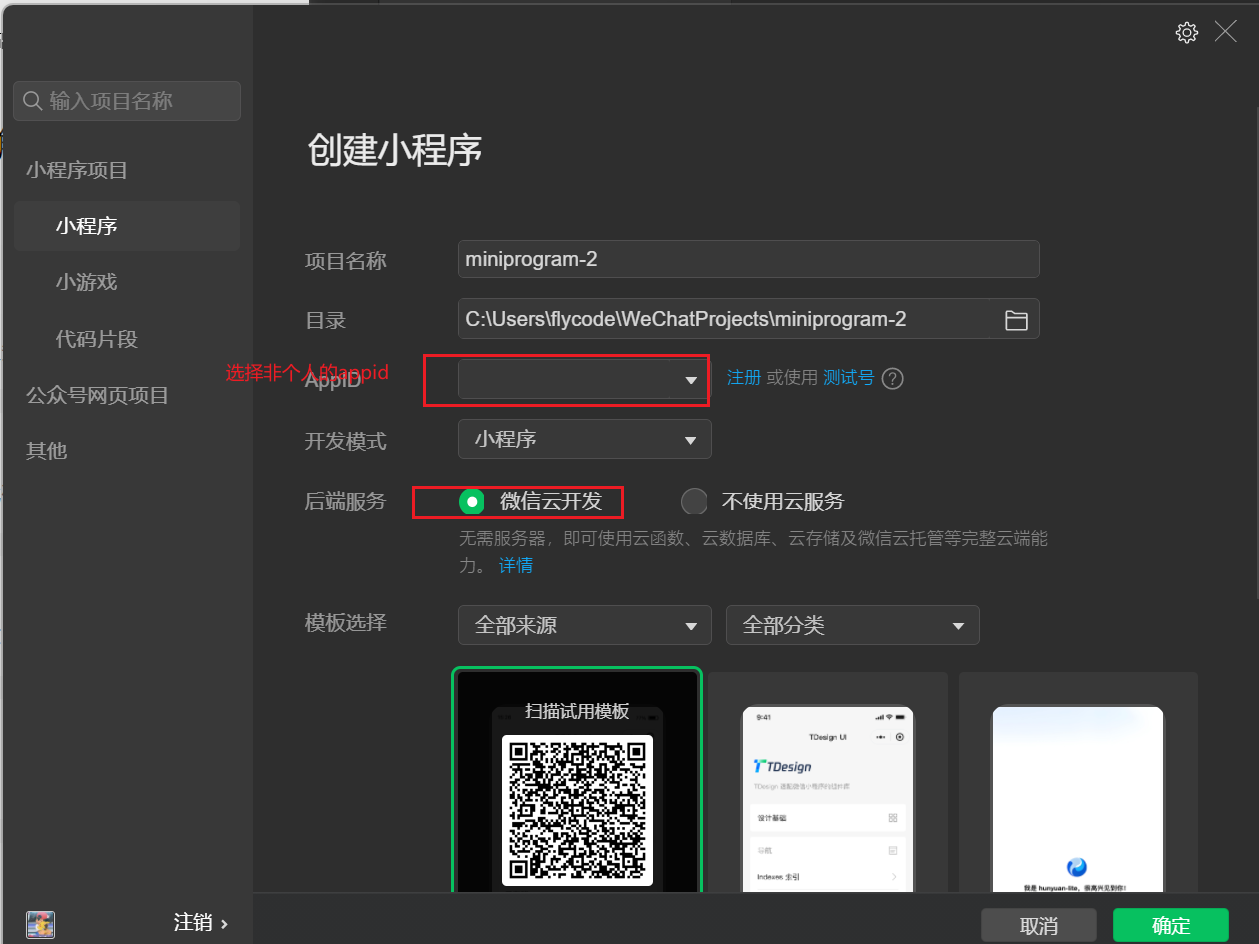
步骤 3:编写公共云函数 public
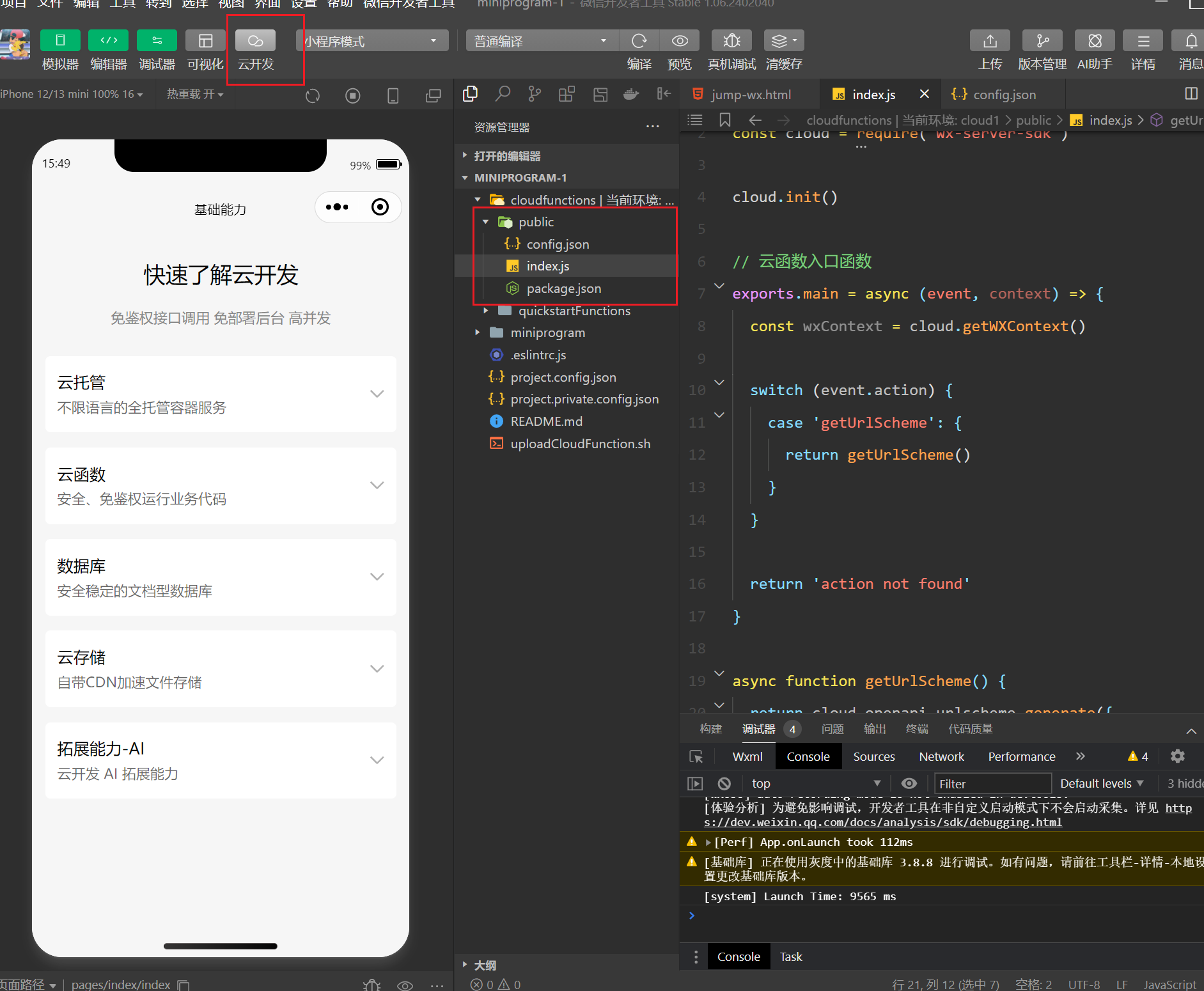
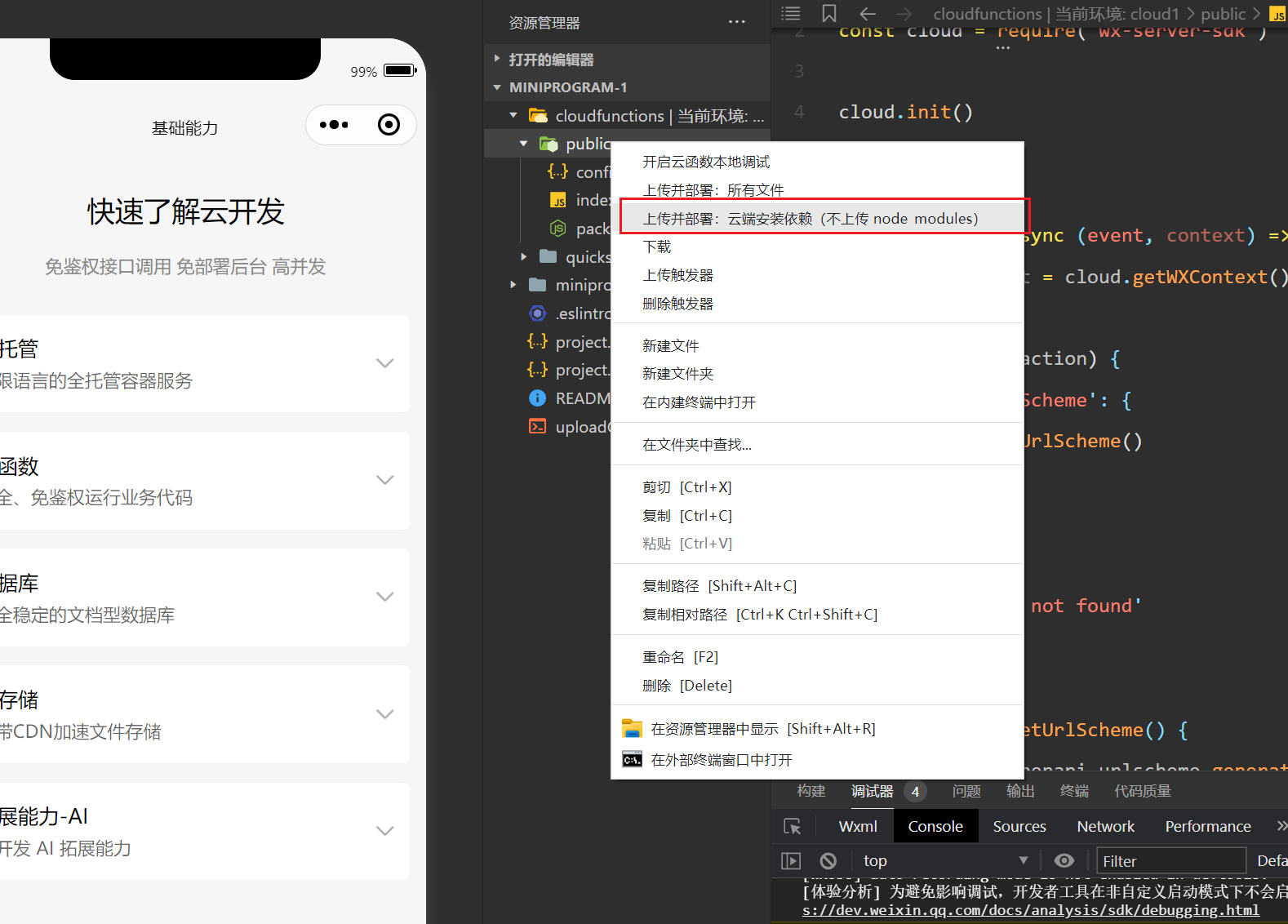
步骤 4:上传并部署云函数
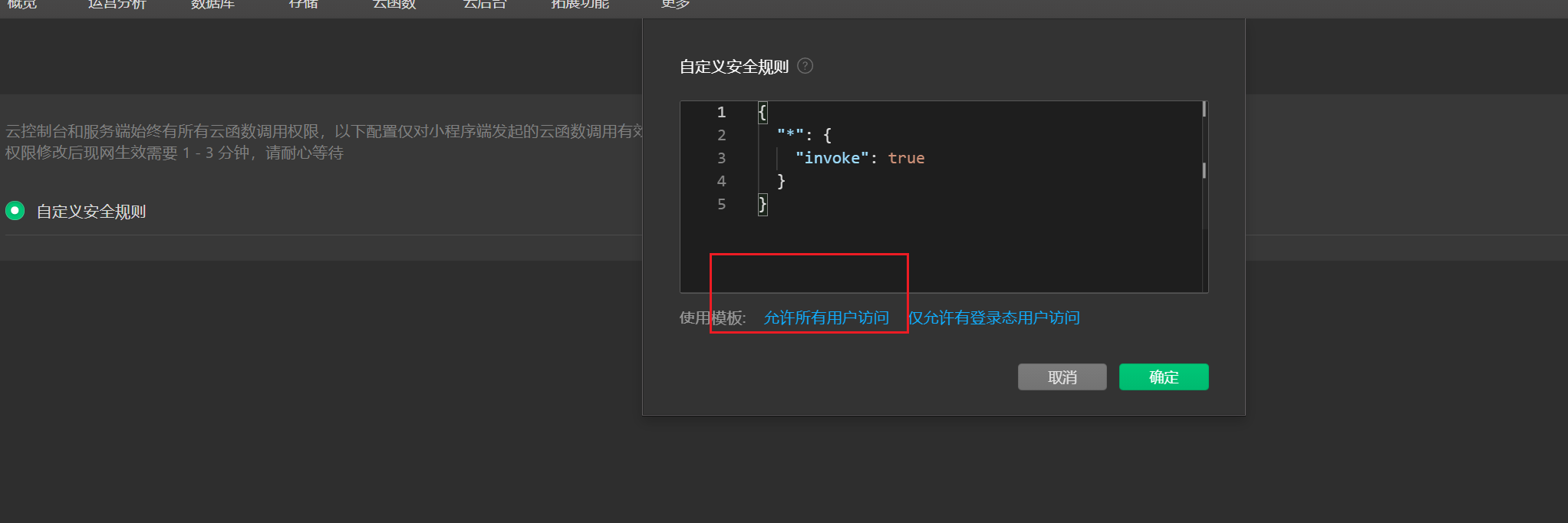
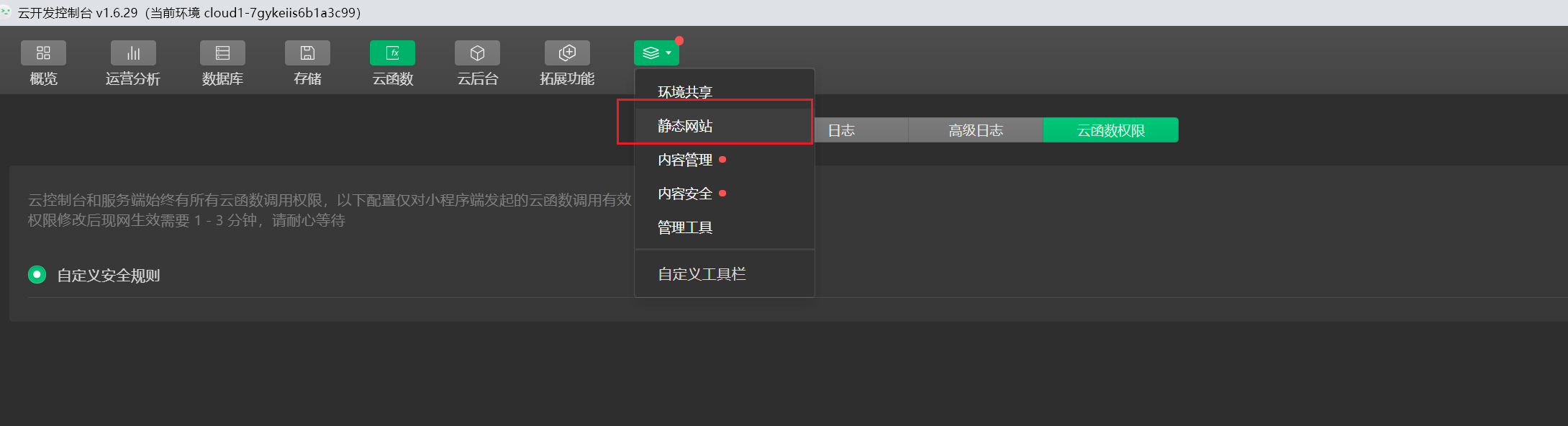
步骤 5:进入云开发,配置云函数和静态网站
创建函数(名称保持一致),开放访问权限。

配置静态网站,上传 index.html。
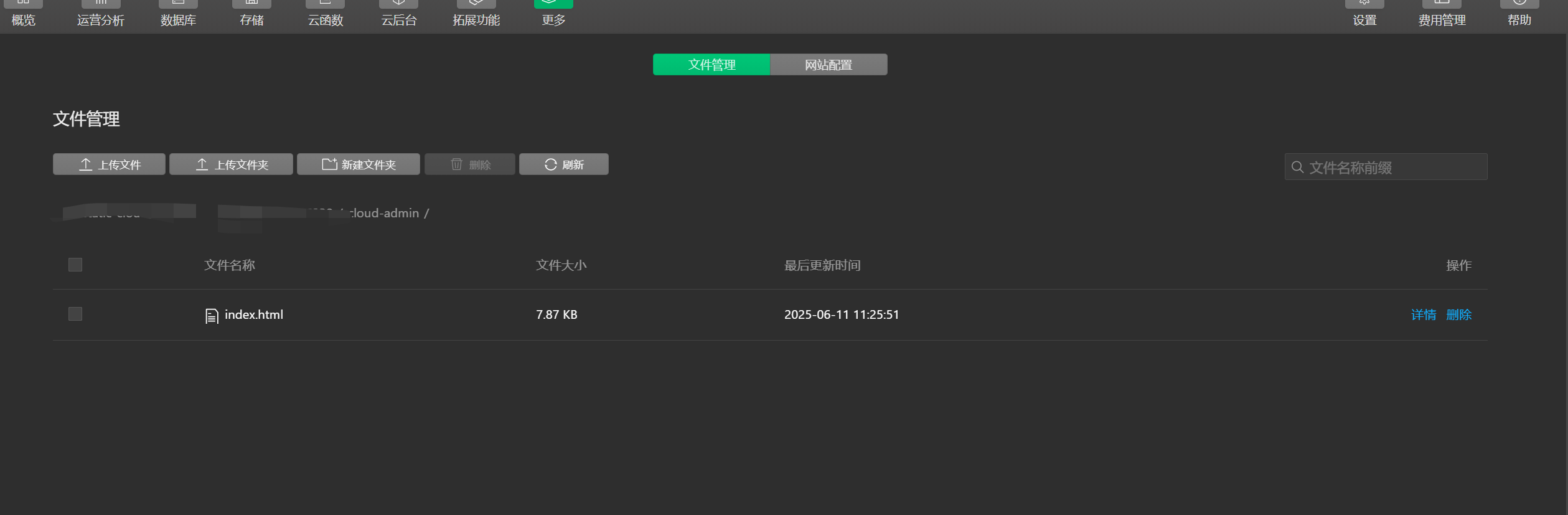
查看访问地址:
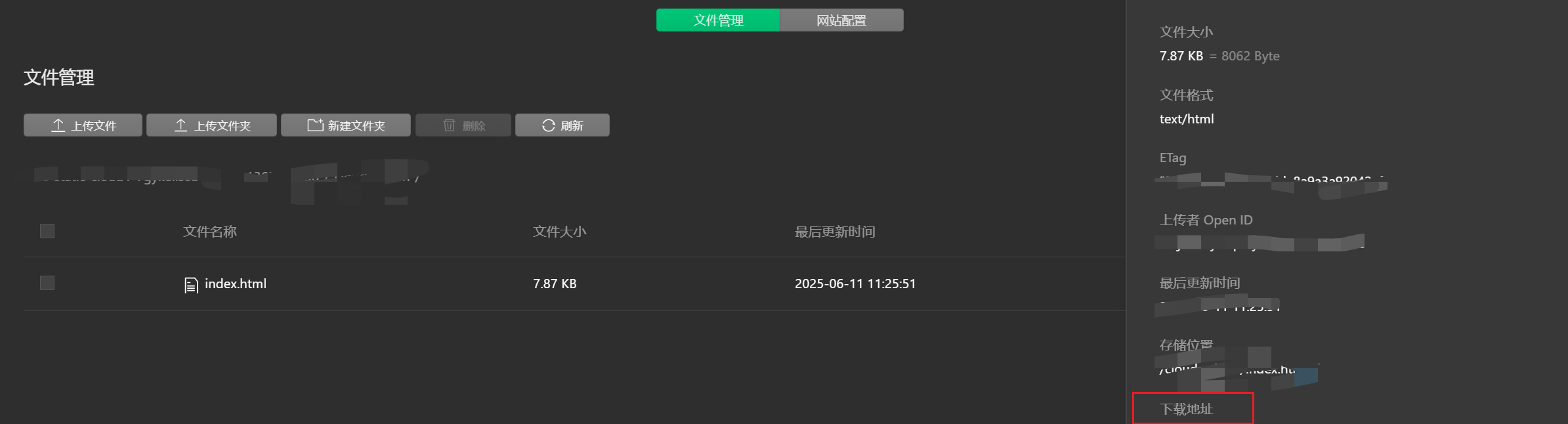
记得开启 外部用户访问权限:
即可通过地址访问跳转页:
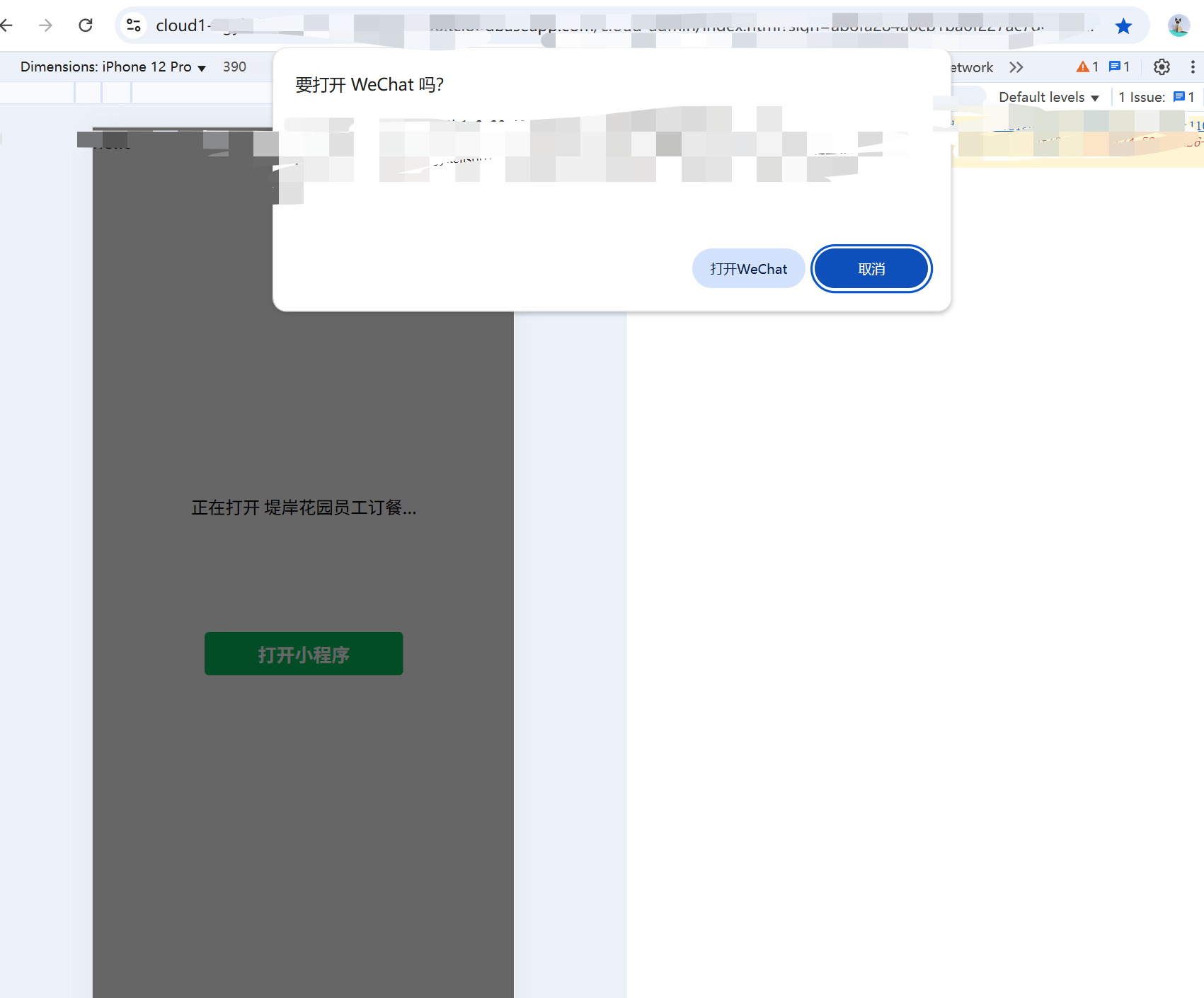
二、使用 URL Scheme 实现跳转
适用对象:所有小程序 优势:不依赖云开发,跳转逻辑灵活
劣势:不能在微信内浏览器直接打开(安全限制)、每次次数有限制加密50万、明文100万,但是一般小程序不会达到这种量级
👉 参考文档:URL Scheme 跳转说明
URL Scheme 格式:
weixin://dl/business/?appid=APPID&path=PATH&query=QUERY&env_version=ENV_VERSIONappid:小程序ID(必填)path:小程序页面路径(必填)query:跳转参数(选填,需 URL 编码)env_version:小程序版本(选填:release、trial、develop)
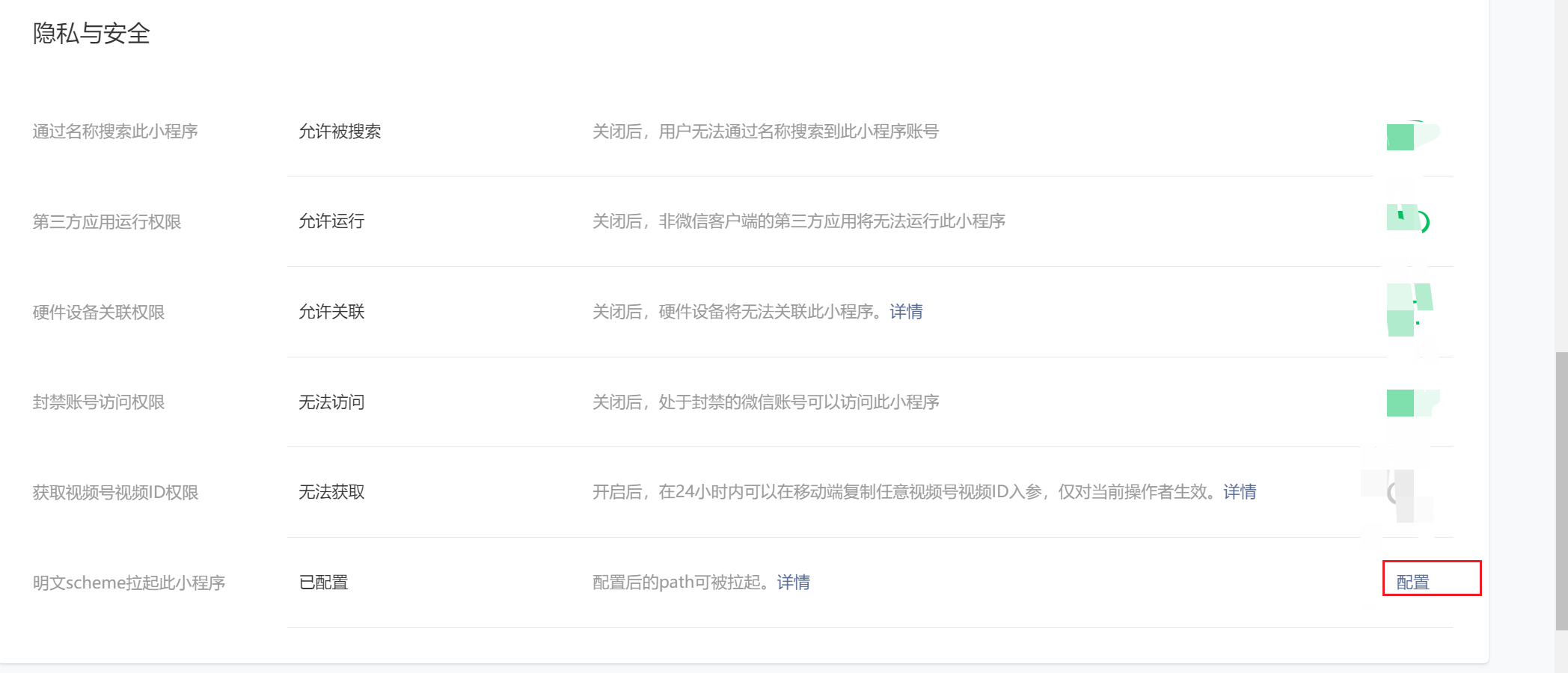
步骤 1:配置跳转路径
必须是小程序中已发布的页面路径。
步骤 2:编写 HTML 跳转页
<!DOCTYPE html><html lang="zh-CN"><head>    <meta charset="UTF-8"/>    <title>打开微信小程序</title>    <meta name="viewport" content="width=device-width, initial-scale=1.0, user-scalable=no">    <style>        body {            font-family: -apple-system, BlinkMacSystemFont;            background: #f5f5f5;            display: flex;            align-items: center;            justify-content: center;            height: 100vh;            margin: 0;        }
        .container {            text-align: center;            background: white;            padding: 40px;            border-radius: 12px;            box-shadow: 0 4px 12px rgba(0, 0, 0, 0.1);            max-width: 320px;            width: 90%;        }
        .btn {            margin-top: 20px;            padding: 12px 30px;            background: #07c160;            color: white;            border-radius: 6px;            text-decoration: none;            font-size: 16px;        }
        .tip {            margin-top: 20px;            font-size: 14px;            color: #888;        }    </style></head><body><div class="container" id="app"></div><script>    const isMobile = /android|iPhone|iPad/i.test(navigator.userAgent);    const container = document.getElementById('app');
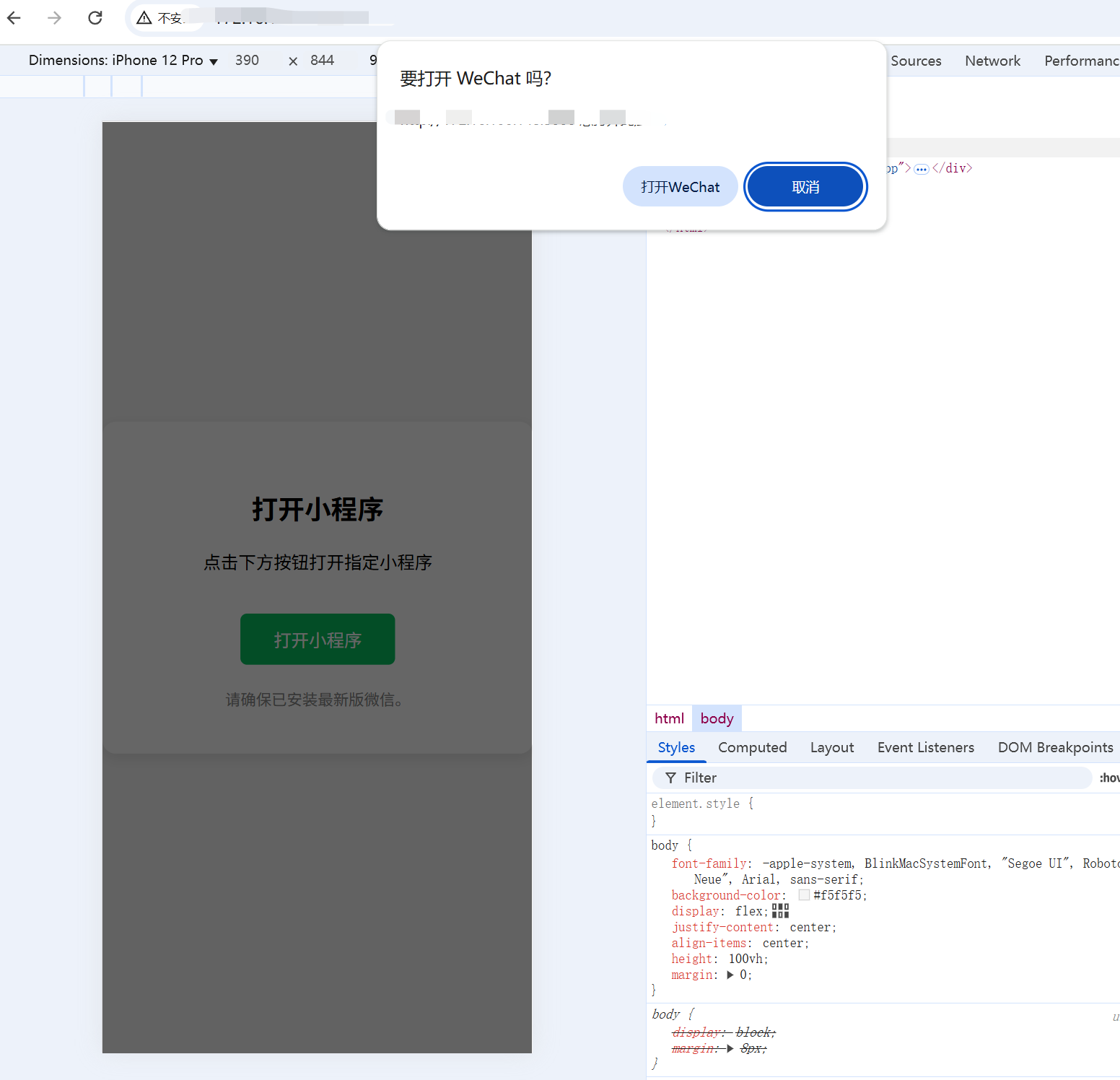
    if (isMobile) {        container.innerHTML = `        <h2>打开小程序</h2>        <p>点击下方按钮打开指定小程序</p>        <a href="weixin://dl/business/?appid=xxx&path=pages/index/index&env_version=release" class="btn">打开小程序</a>        <div class="tip">请确保已安装最新版微信</div>      `;    } else {        container.innerHTML = `        <h2>请使用手机打开</h2>        <p>当前页面仅支持手机浏览器访问</p>        <div class="tip">请用手机扫码或手动输入网址</div>      `;    }</script></body></html>
页面效果如下:
步骤 3:本地用手机访问 HTML
使用 Express 快速搭建本地服务器:
npm init -ynpm install express创建 server.js:
const express = require('express');const path = require('path');const app = express();const PORT = 3000;// 将 index.html 放入 public 目录app.use(express.static(path.join(__dirname, 'public')));
app.listen(PORT, () => {    console.log(`本地服务启动:http://localhost:${PORT}`);    console.log(`手机访问:http://<你的电脑IP>:${PORT}`);});
将手机连接至电脑热点:

查看电脑 IP 地址(命令行输入 ipconfig):

手机浏览器访问:
http://你的IPv4地址:3000总结对比:
| 方案 | 适用场景 | 是否需认证 | 是否收费 | 是否支持微信内外跳转 |
|---|---|---|---|---|
| 云服务跳转 | 企业级、小程序推广跳转 | 是 | 是 | 支持 |
| URL Scheme | 小范围内测或外链跳转 | 否 | 否 | 支持 |
评论